


Changes in the configuration of desktop controls
Version ... of the Signomix webapp introduces significant changes to the way controls are configured on user-defined dashboards.
They involve using DQL definitions to define how a control retrieves data.
In the form for configuring a control, instead of selecting or typing values in the Data Source, Measure Names and Data Range fields, you need to type the full definition of how data is retrieved in the extended Data Range field.
This is what the sample forms for configuring the control looked like earlier:
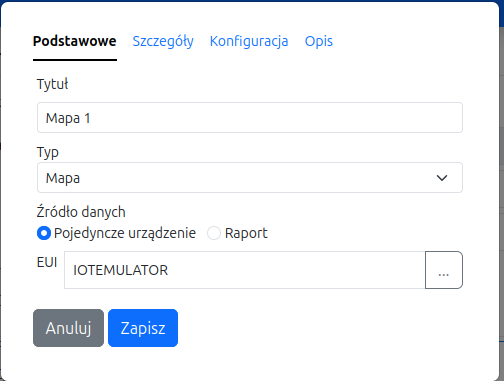
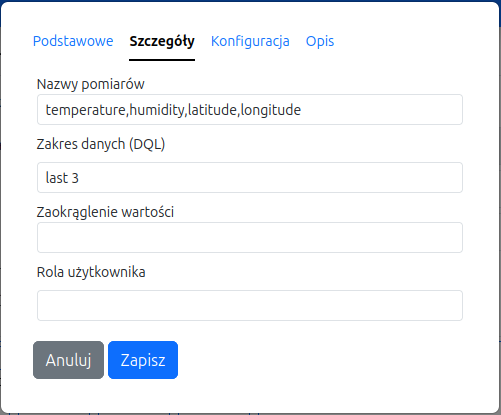
After the change, they look like the following:
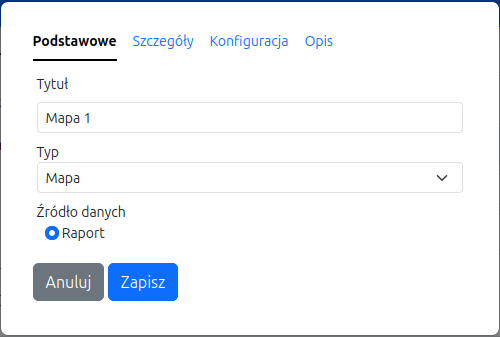
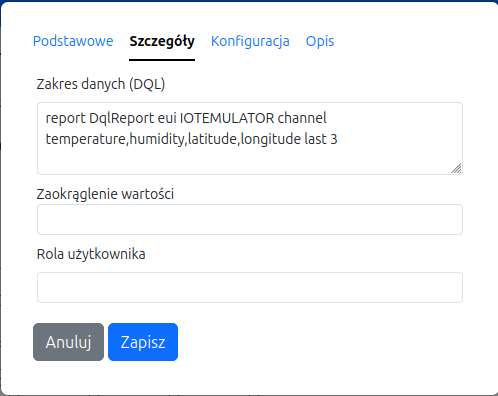
Shown in the example is the definition of the data source:
report DqlReport eui IOTEMULATOR channel temperature,humidity,latitude,longitude last 3translates to:
report DqlReport- use report classDqlReportto search for dataeui IOTEMULATOR- search for data from a device with euiIOTEMULATORchannel temperature,humidity,latitude,longitude- include measurement data with names in the resultschannel temperature,humidity,latitude,longitudelast 3- limit the data set to the last 3 measurements.
For controls showing data of a group of devices (e.g. Group Map), the group ID will be used instead of the eui ID. For example:
group S-010203040506
The syntax of the DQL language is described on the Data Query Language page.